Compare, simulate,
and decide with confidence
ORGNavi Simulator lets you design any reorg scenario with drag & drop, compare side by side, and export directly to HR systems.
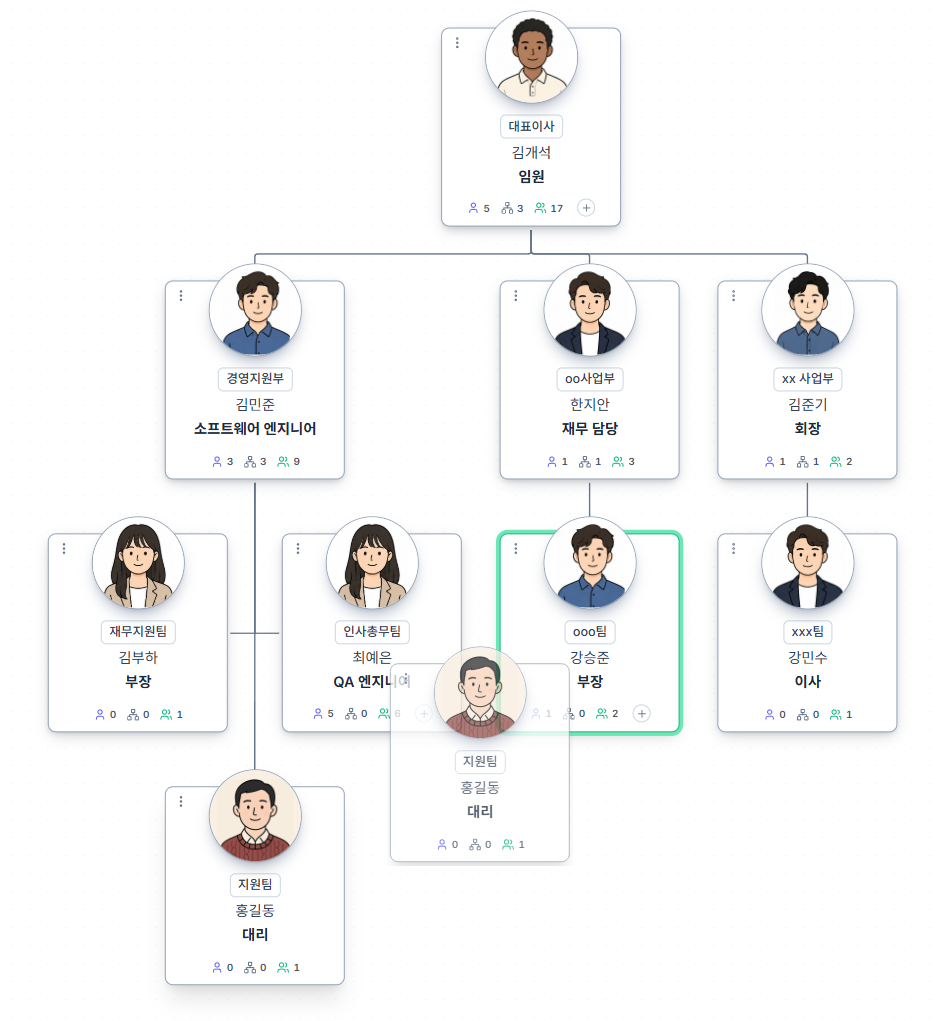
Drag & Drop Redesign
Restructure your org by simply dragging departments and people.
Sound familiar?
- ✕Every reorg requires an HR request to manually move units in the system
- ✕Drawing org structure in Excel always ends with missing sub-departments
- ✕No way to directly rearrange org structure without code or complex tools
How ORGNavi solves it
Restructure by simply dragging departments and people. No code, no spreadsheet. Entire sub-trees move together. Note: for organizations with live DB or HR system integration, changes are applied through the simulation workflow.
- Drag departments and people to restructure
- Entire sub-tree moves in one action
- Anyone can edit - no code or Excel needed
- Integrated orgs: changes applied via simulation
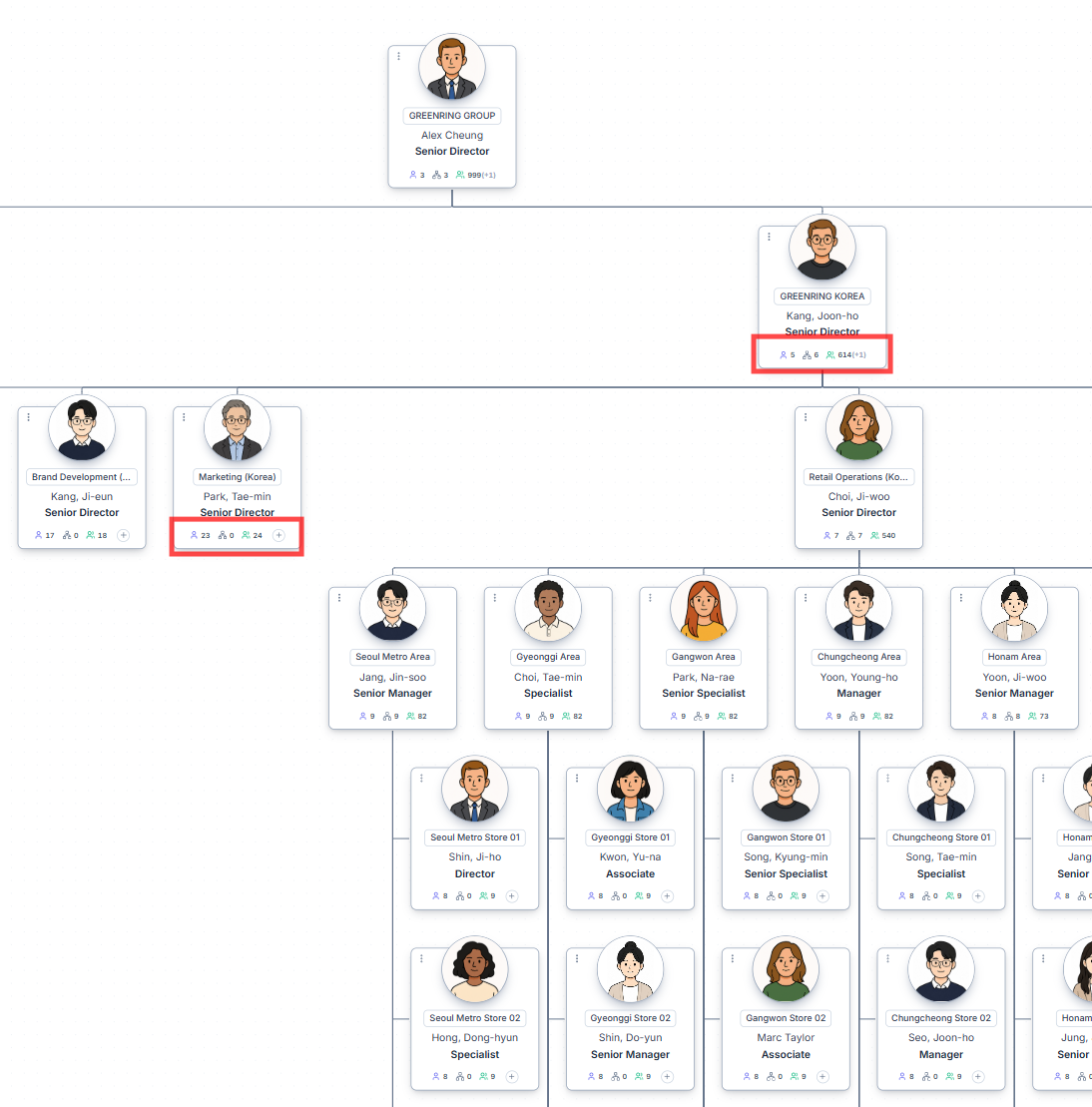
Real-Time Headcount Rollup
Headcount and span of control recalculate the moment you move.
Sound familiar?
- ✕Merging departments means manually calculating the new headcount separately
- ✕Every proposal requires re-tallying headcount in a spreadsheet
- ✕You only find out the new span of control after the reorg is done
How ORGNavi solves it
As soon as you move a unit, headcount, sub-org size, and span of control recalculate instantly. "How big does this division get if we merge?" - see it live as you drag.
- Headcount auto-recalculates on every move
- Sub-org size and span of control update live
- Instant reflection of merges and splits
- No separate tally step required
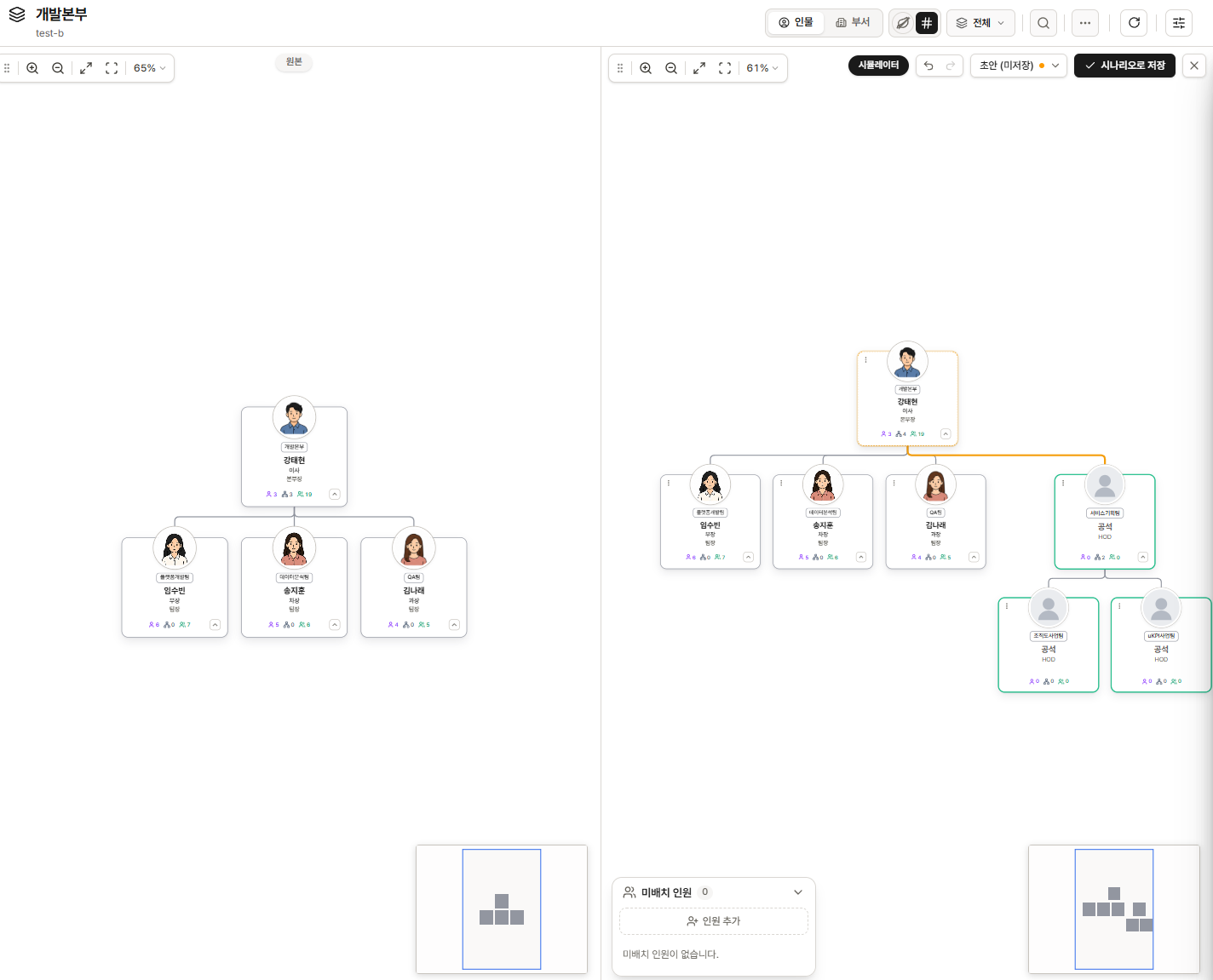
Side-by-Side Org Simulation
Current org on the left, proposal on the right - compare and edit together.
Sound familiar?
- ✕Proposals A, B, C exist but there's no way to compare them - meetings turn chaotic
- ✕Viewing current and proposed structures simultaneously requires multiple windows
- ✕No way to save and freely compare multiple versions before the final decision
How ORGNavi solves it
Current org on the left, proposed design on the right - edit and compare side by side. Save multiple versions and simulate freely until the final decision.
- Side-by-side current vs. proposal view
- Save and switch between multiple versions
- Edit freely until the final decision
- Use the compare view directly as a report
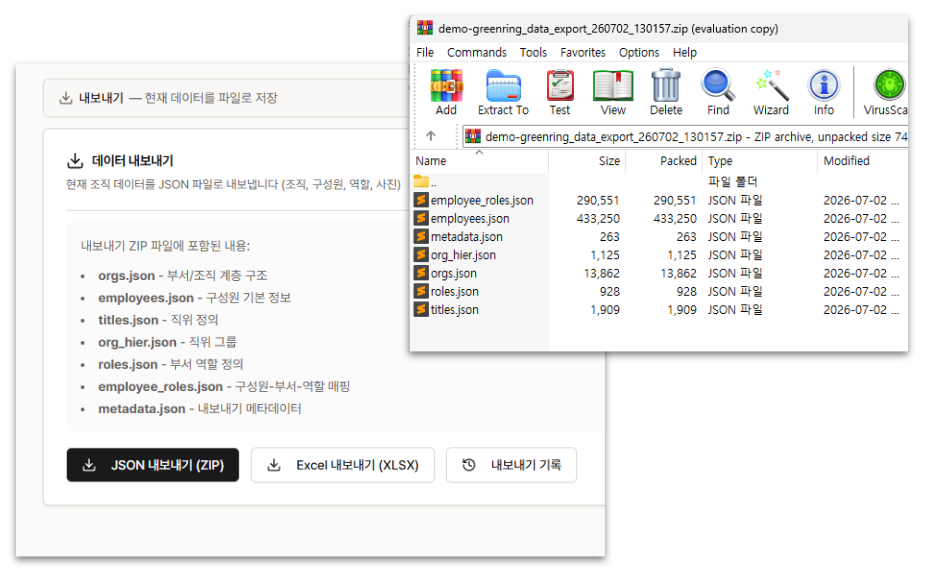
Your Org Data, Always in Your Hands
Your organization data is always your asset.
Sound familiar?
- ✕Manually re-entering the finalized simulation into the HR system
- ✕Extra conversion work to match the SAP SF upload format
- ✕Data entry errors causing the live org to differ from the simulation
How ORGNavi solves it
Your org data is always yours. Whether it's a finalized plan or a work-in-progress, export to CSV or JSON anytime - for backup, HR system updates, third-party integrations, or standalone analysis. SAP SF EC-compatible format supported.
- CSV / JSON export with SAP SF EC-compatible format
- Periodic sync with HR system data (when integrated)
- Zero manual re-entry
- Export history tracked
See the simulator in action
Try drag & drop, run a simulation, and export - all in the live demo.